Speed. Elegance.
Amethyst.
A lightweight keyboard-first browser built for power users. Navigate faster, work smarter, and stay in flow with intuitive controls designed for macOS.
Requires macOS 15 Sequoia or later, updated for macOS 26
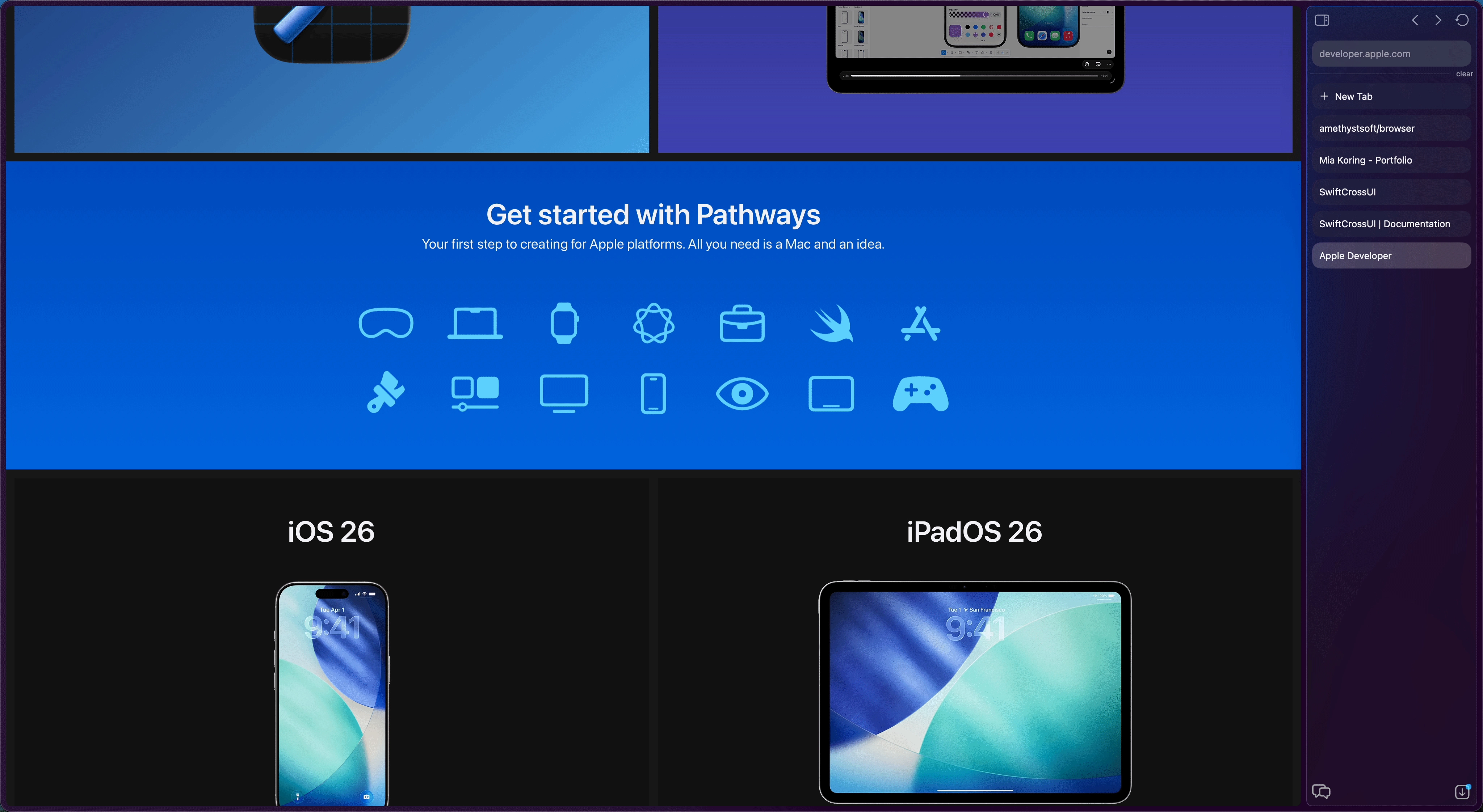
Built for productivity
Every feature designed to keep you in flow and your hands on the keyboard.
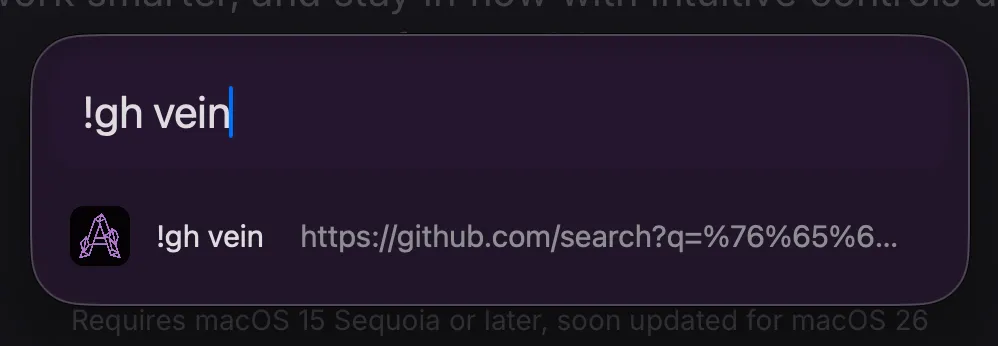
Bang Queries
Quick search any website instantly from the address bar. Create your own shortcuts and use them with !<shortcut> searchterm
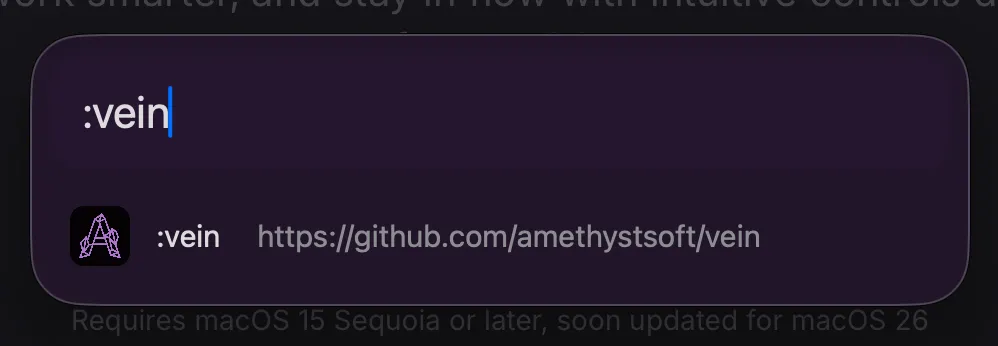
Commands
Jump to preconfigured URLs instantly. Just type :<shortcut> and you're there.
Floating Windows
Watch videos or monitor dashboards while working. Translucent floating mode with adjustable opacity.
Built in Authenticator
Use Amethyst Authenticator directly from your sidebar. Accessible through ⌘P
Adjustable sidebar location
Want your tabs left or right? Configure it in the settings or switch temporarily with ⌘⇧N
Customizable Shortcuts
You can customize every shortcut to fit you best. Learn and edit them in the settings.
Philosophy
As a product of the Amethyst family Amethyst Browser is strongly aligned with our core values.
Privacy First
No telemetry, no tracking. Your browsing data never leaves your Mac.
Lightning Fast
Engineered for speed. Native macOS performance with WebKit means instant page loads and startup as well as low memory footprint.
Local Search
Everything stays on your device but you still get personalized suggestions based on your browsing history.
What's new in 2.0
A new era of stability, design, and powerful features.
Liquid Glass UI
Amethyst Browser now tastefully utilizes liquid glass design language. Prefer the classic look? Toggle it off in Settings.
Improved Stability
Major improvements to download reliability, input encoding, JS alert handling, and overall performance optimizations.
Bang Queries & Commands
Quick search any website with bang queries (!g, !yt, etc.) or jump to URLs instantly with custom command shortcuts.
Floating Windows
Keep videos, dashboards, or reference material visible while you work. Adjustable opacity lets you see both at once.
On the roadmap
What's coming next to Amethyst Browser.
Quick Access
Pin tabs and jump with Cmd + Number
User Scripts
Custom scripts on page load or command
Profiles
Separate browsing contexts
Content Blocking
Working toward uBlock Origin support
Amethyst Vault
E2E encrypted credential sync
Cross-Platform Credential Sync
Built on the Amethyst Vein framework
Ready to browse differently?
Download Amethyst Browser and discover a faster, more elegant way to navigate the web.